Firmware Update and Configuration for Single Battery Cabinet with S6-EH3P(29.9-60)K-H Series
Overview
When a single battery cabinet needs to be integrated with a local S6-EH3P(29.9-60)K-H inverter, it is essential to ensure compatibility and proper configuration. This article outlines the firmware update process and key settings required for successful operation.
Firmware Update
- Action Required: Update the inverter firmware to the latest version before installation.
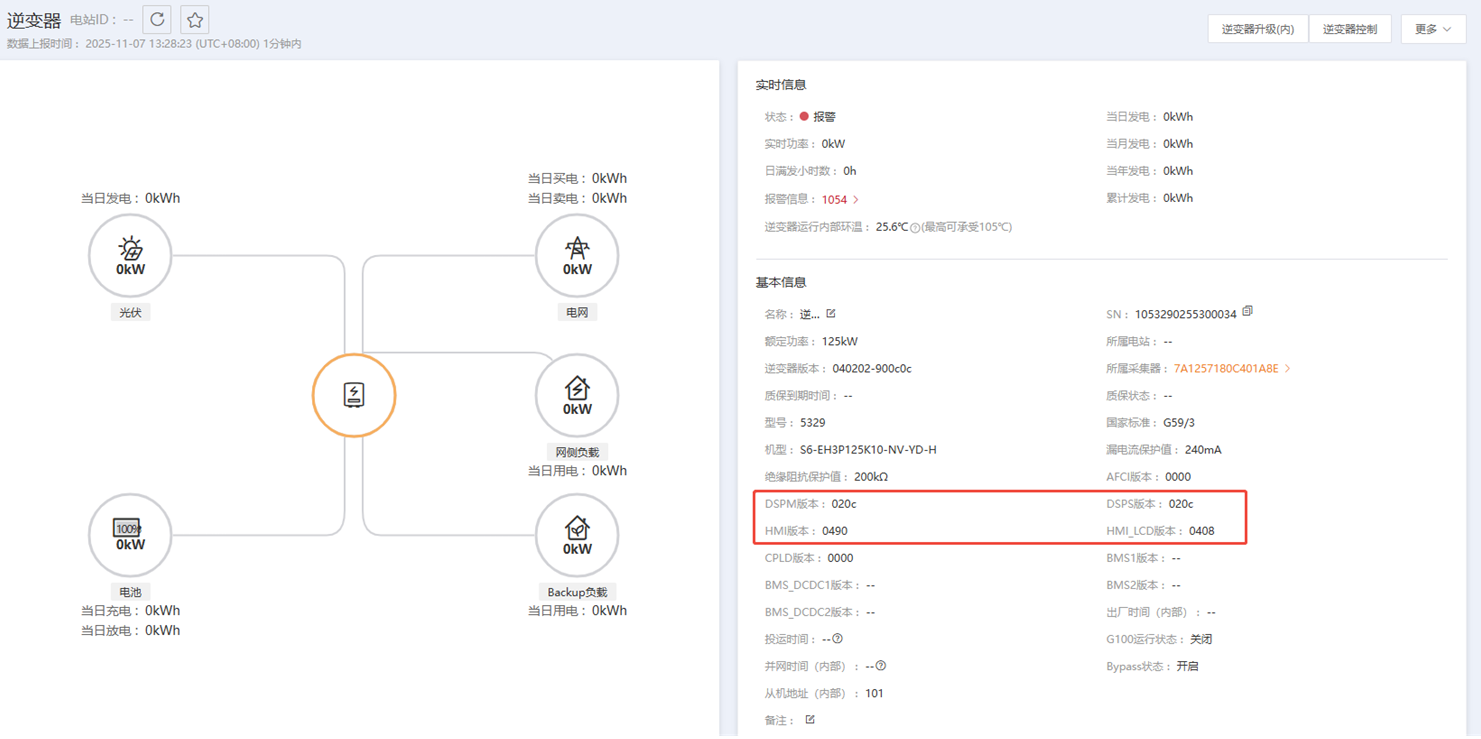
- Reason: Later firmware versions resolve multiple minor issues and improve system stability.
- Current Status: The exact final firmware version cannot be confirmed at this stage. The latest version will be available at the time of installation.
- Reference: A screenshot of a system operating normally at HQ is available, but note that this version may still contain some issues.
How to Update Firmware
You can update the inverter firmware using either of the following methods:
- Local Debugging: Use the SolisCloud App for on-site firmware upgrade.
- Remote Control: Perform the update remotely via SolisCloud.
Configuration Settings
After updating the firmware, configure the following settings:
1. Battery Connection Method
- Setting:
I Batt 2DC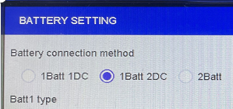
- Purpose: Ensures correct communication between the inverter and the battery cabinet.
2. Battery Type
- For PrimePower Batteries: Set the battery type to
PrimePower-109kWh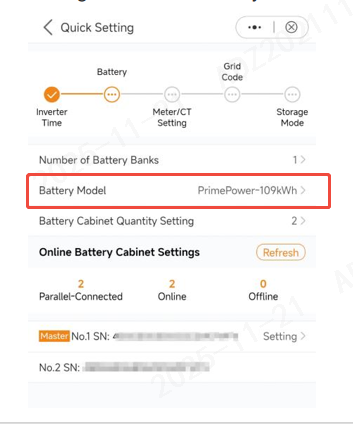
- Future Development: The LCD and SolisCloud R&D team are working on automatic battery model recognition. Once implemented, manual battery type selection will no longer be required.
Additional Notes
- Always confirm the latest firmware version before installation.
- Automatic battery type recognition will simplify setup in future releases.
- For troubleshooting or advanced configuration, refer to SolisCloud documentation or contact technical support.